
Fust Survival Tool Cupboard: Upkeep, Authorization and Repair
Last updated:
Your Tool Cupboard (TC) holds upkeep resources and prevents other players from building nearby. Place it inside your base, secure access, and keep its daily resource requirements supplied to prevent decay.
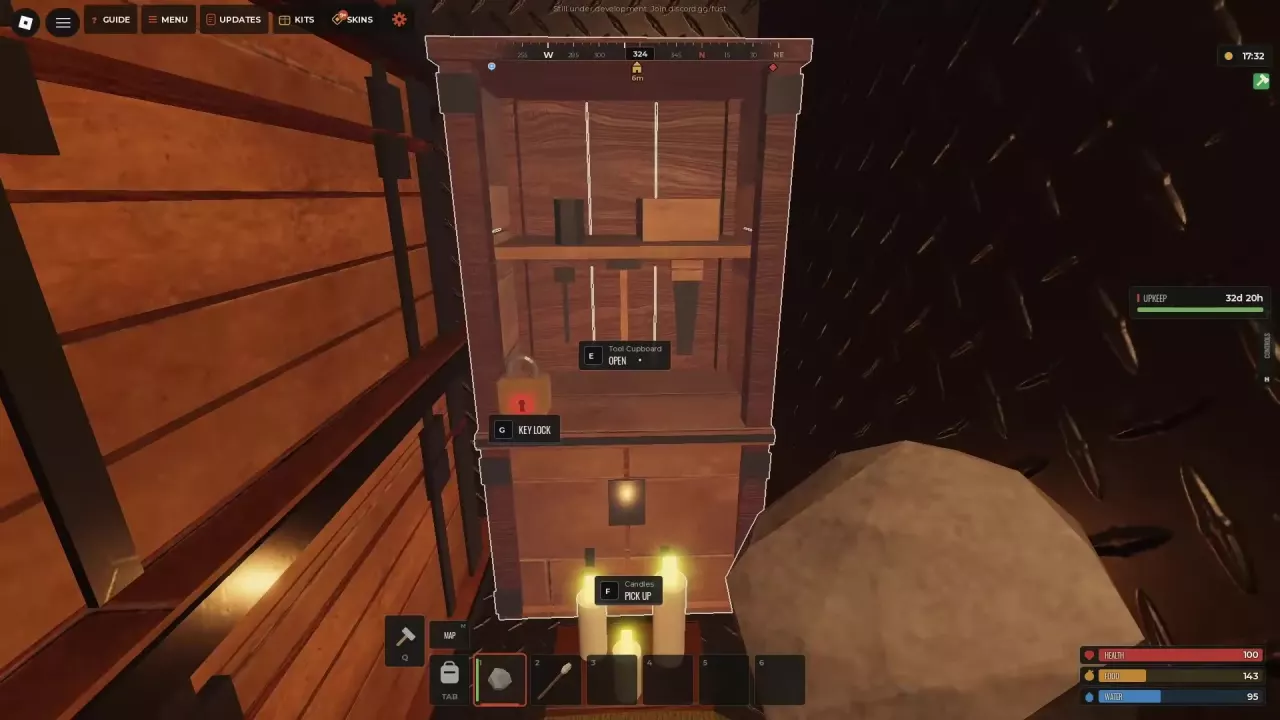
Craft, Place and Lock the Cupboard
The Tool Cupboard has 24 storage slots and prevents other players from building nearby. Put it inside your base where you can reach it to deposit maintenance materials.
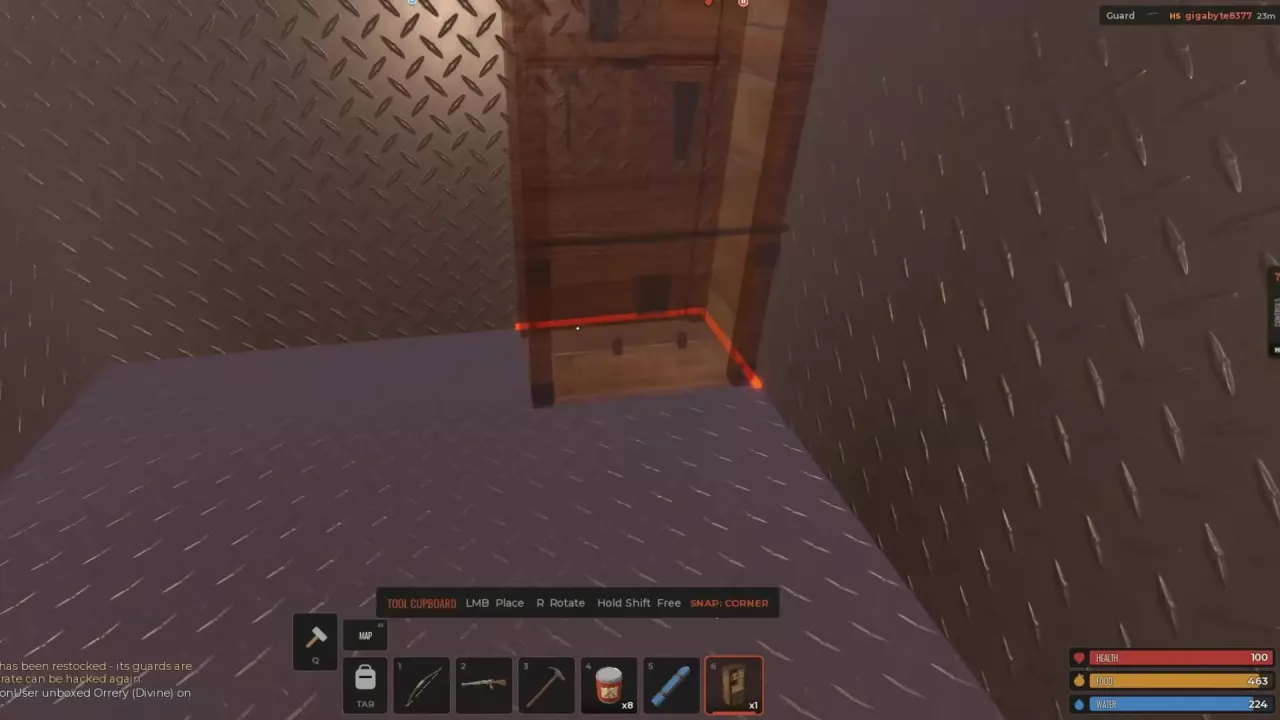
- Open CRAFTING, select Tool Cupboard, and craft it. On the 10x server recipe, it costs 1,000 Wood and takes 1 second. No workbench is required.
- Select the cupboard from your hotbar and position it inside the base. Use R to rotate, corner snapping to align it, or hold Shift for free placement. Left-click to place it.
- Craft a Key Lock for 75 Wood and attach it to the cupboard. It starts locked.
- Aim at the cupboard and press E to open it, then supply the upkeep materials described below.
The cupboard also offers F — PICK UP when you need to reposition it. Placing and locking a TC does not pay upkeep: the required materials must be inside its storage.
Keep the entrance secured as well. See doors, locks and base defense for entrance protection and airlocks.
Key Access and Building Authorization
A key lets you access the locked cupboard; TC authorization is managed separately. The Key Lock gives its placer and their team automatic key access. Aim at the lock and press G to open its interface; only the lock owner can manage it.
Opening the cupboard or moving items from it does not automatically authorize you. Open AUTHORIZED PLAYERS and check the list before trying to upgrade the base.
| Control | Purpose |
|---|---|
| AUTHORIZE | Request authorization on this cupboard. |
| DEAUTHORIZE | Remove your authorization. |
| CLEAR LIST | Clear the authorization list. |
On Solo servers, each Tool Cupboard permits one authorized player. An occupied slot can prevent another player from authorizing. Automatic key access through a team does not replace this authorization requirement.
The cupboard's UPGRADE BASE function requires authorization on that specific TC. If you can open its storage but receive an authorization prompt when upgrading, check this list.
Pay Daily Upkeep and Stop Decay
Deposit the resources listed under PER DAY into the TC. Insufficient upkeep allows buildings to decay gradually.
- Press E to open the cupboard. Read the covered piece count, PER DAY resource amounts, and percentage of building cost charged each day.
- Move the required materials from your inventory into TOOL CUPBOARD STORAGE. Drag items, double-click or Shift-click to transfer them across inventories, or right-click to split a stack in half.
- Check PROTECTED FOR. This is the upkeep protection remaining with the current stock. A supplied base can also show AUTO-REPAIR ON.
- Press E or Esc to close the interface.
How upkeep changes with your base
These configurations illustrate why you should use your own cupboard's current resource list:
| Server and base configuration | Daily upkeep | Displayed daily rate |
|---|---|---|
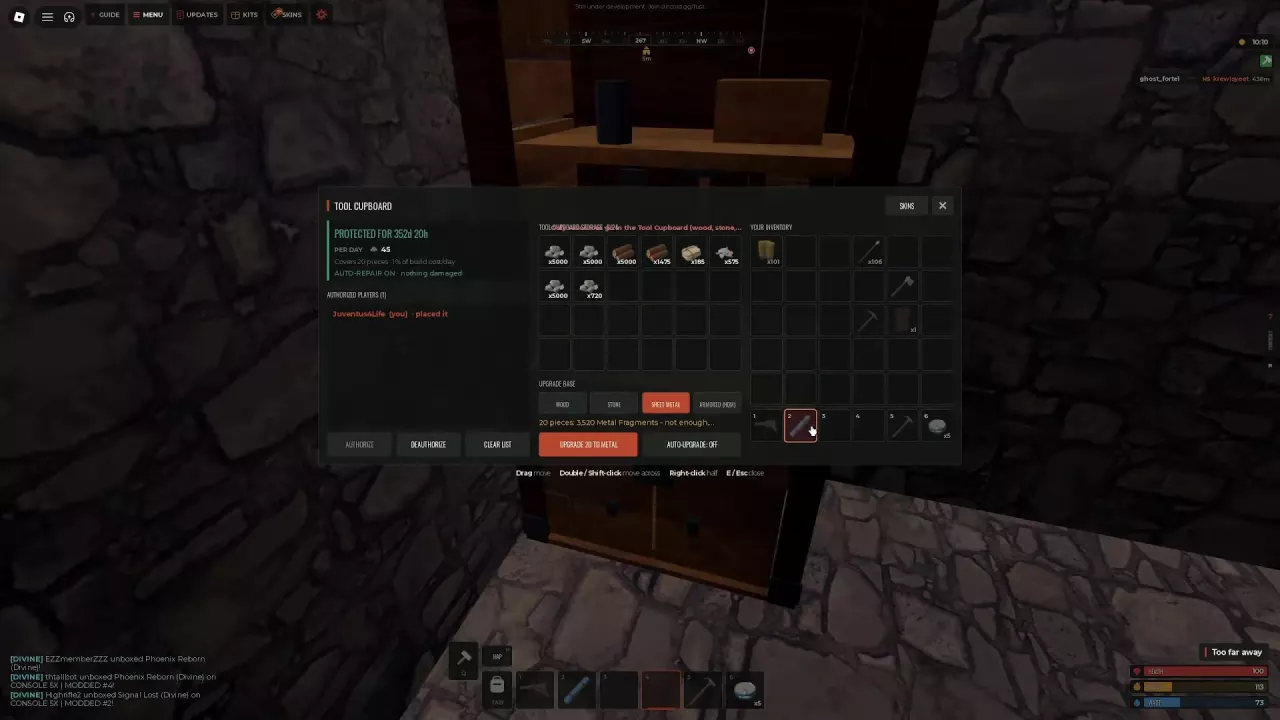
| 10x, 20-piece stone base | 45 Stones | 1% of building cost |
| 10x, the stone base expanded to 43 pieces | 99 Stones | 1% of building cost |
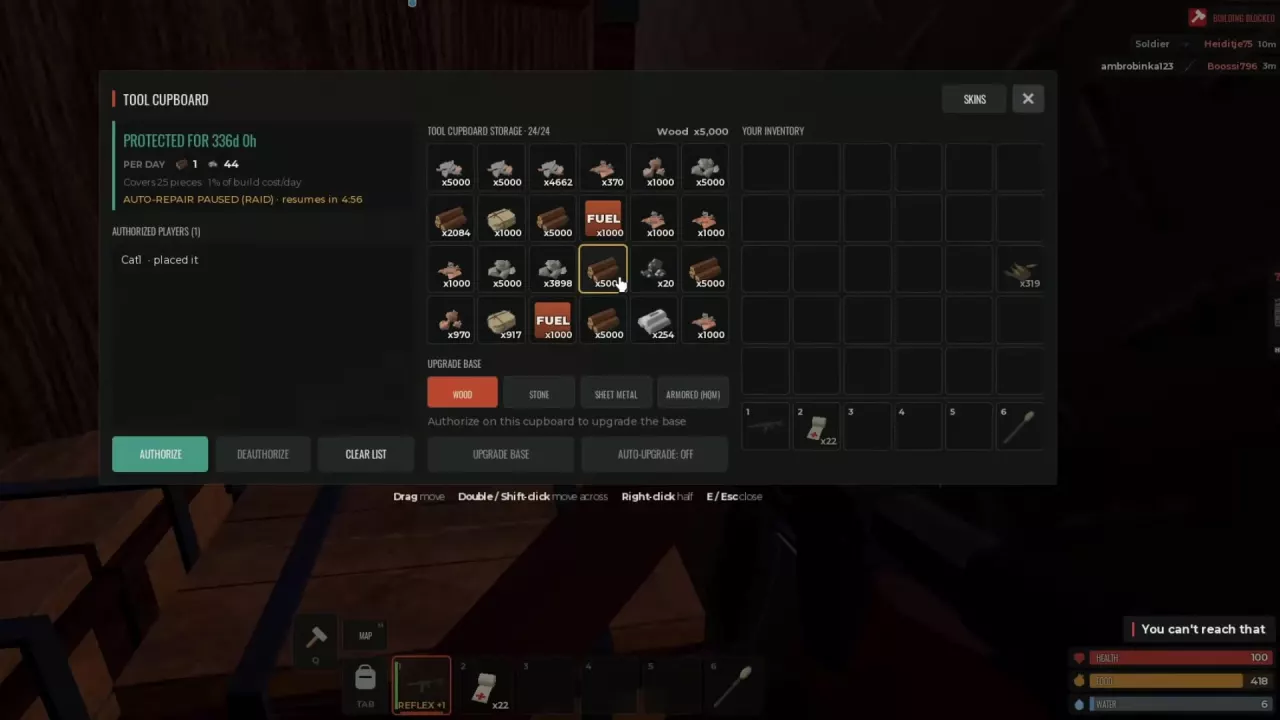
| 5x, 25-piece base | 1 Wood and 44 Metal Fragments | 1% of building cost |
A 67-piece base on a 5x server displayed 2% per day, while 66- and 98-piece bases on a 10x server displayed 1%. Use the percentage and material amounts on your TC; 67 pieces is not a universal cutoff for a higher rate.
After expanding or upgrading, reopen the cupboard and check both the daily requirements and remaining protection. Reserve upkeep materials before spending your remaining stock on more construction. If you need a particular material, use the resource sources and processing guide.
Read Protection and Repair States
Upkeep protection and automatic repair have separate status messages. A stocked base can remain protected from decay while raid damage temporarily pauses automatic repairs.
| Status | Meaning and action |
|---|---|
| DECAYING | Upkeep is unpaid. Check PER DAY and replenish the required resources. Automatic repair can also show OFF. |
| PROTECTED FOR | The current upkeep stock covers the displayed duration. |
| AUTO-REPAIR ON | Automatic repair is enabled. |
| Nothing damaged | There are no damaged parts to repair; this is not a repair failure. |
| REPAIR PAUSED · RAID / AUTO-REPAIR PAUSED (RAID) | Automatic repair is temporarily paused during a raid. Follow the displayed recovery countdown. |
Removing upkeep resources can sharply reduce protection time. In a 22-piece base on a 5x server, taking most of the cupboard's contents reduced its displayed protection from 229 days 6 hours to 1 minute. Check the protection display after withdrawing building materials so you do not accidentally spend your upkeep reserve.
For a raid pause, read the time remaining beside the repair status. A display such as 4:56 is the current recovery countdown, not a fixed pause duration for every raid. Once the pause clears, the status can return to AUTO-REPAIR ON.
Manual Repairs and Base Upgrades
For a manual repair, equip a Hammer, aim at the damaged building piece, and left-click — Repair. The same repair interaction is available on Sheet Metal Double Doors and Armored Double Doors. On those doors, right-click opens Pick up / Flip, so use the left-click prompt for repairs.
To check a whole-base upgrade, open UPGRADE BASE on a cupboard where you are authorized. Select WOOD, STONE, SHEET METAL, or ARMORED (HQM) and read the covered piece count and total material requirement. A not enough message means you lack materials for that selection; choosing Wood can instead report that every piece is already Wood or better.
Use the building guide's costs and upgrade instructions to plan the upgrade. After changing the base, return to the TC's upkeep panel to supply its new daily requirements.