
Fust Survival Minicopter Flight Controls
Last updated:
Ready to fly a Minicopter in Fust Survival? Use these controls to board, steer and monitor the aircraft during your trip.
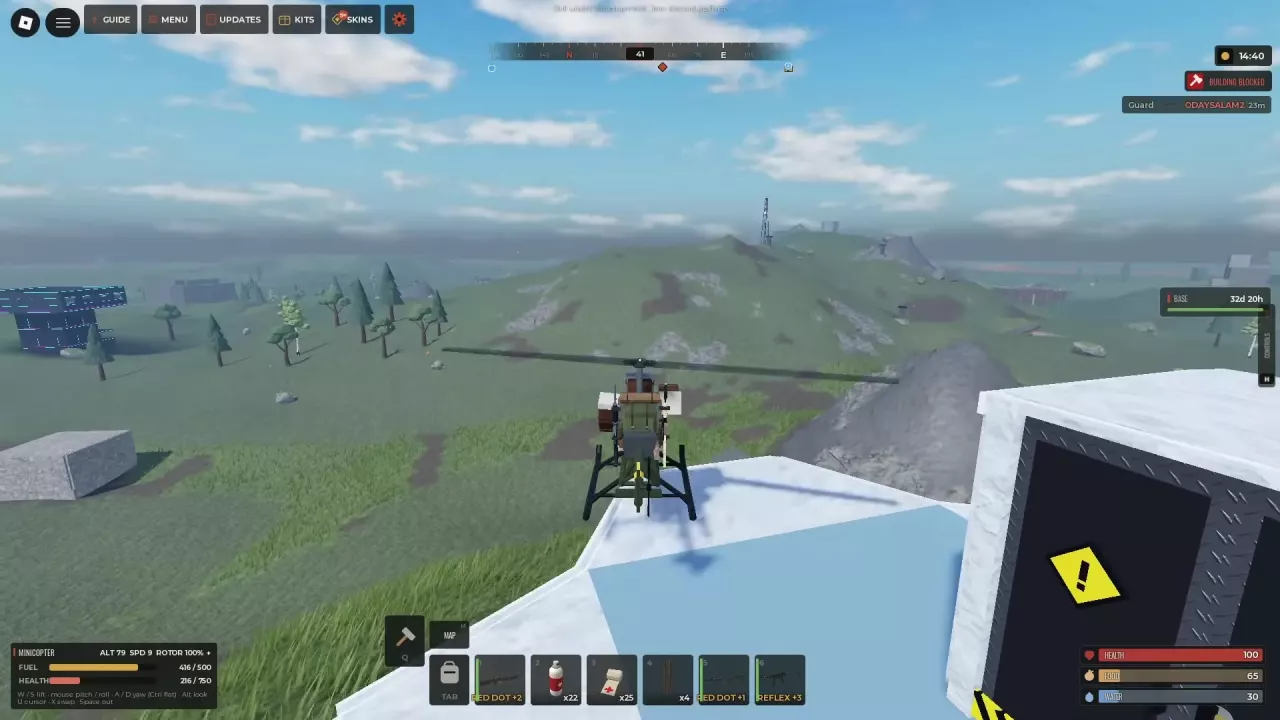
Enter the Pilot or Passenger Position
Approach an accessible Minicopter and press E at the FLY prompt to enter the pilot position. Use E at RIDE to board as a passenger.
Once aboard, press X to swap seats or Space to get out.
Lift, Steer and Level the Aircraft
- Use W/S to control lift and get the Minicopter airborne.
- Watch the aircraft's attitude and use the mouse to adjust pitch and roll. Pitch changes the nose's angle; roll tilts the aircraft sideways.
- Use A/D to yaw, turning the aircraft's heading. Press Ctrl for level flight.
- Use Alt to look around and U to access the cursor.
Watch Fuel and Flight Instruments
The flight HUD keeps the aircraft's status in view:
| Display | Meaning |
|---|---|
| ALT | Altitude |
| SPD | Speed |
| ROTOR | Rotor status |
| FUEL | Fuel remaining |
| HEALTH | Minicopter health |
Fuel decreases during flight, so check the gauge before and during a trip. At the Minicopter, F is ADD FUEL and K is TAKE FUEL. The interaction prompts also list L as RESET.
On a 5x server, the fuel display can show a capacity of 500 HUD units.
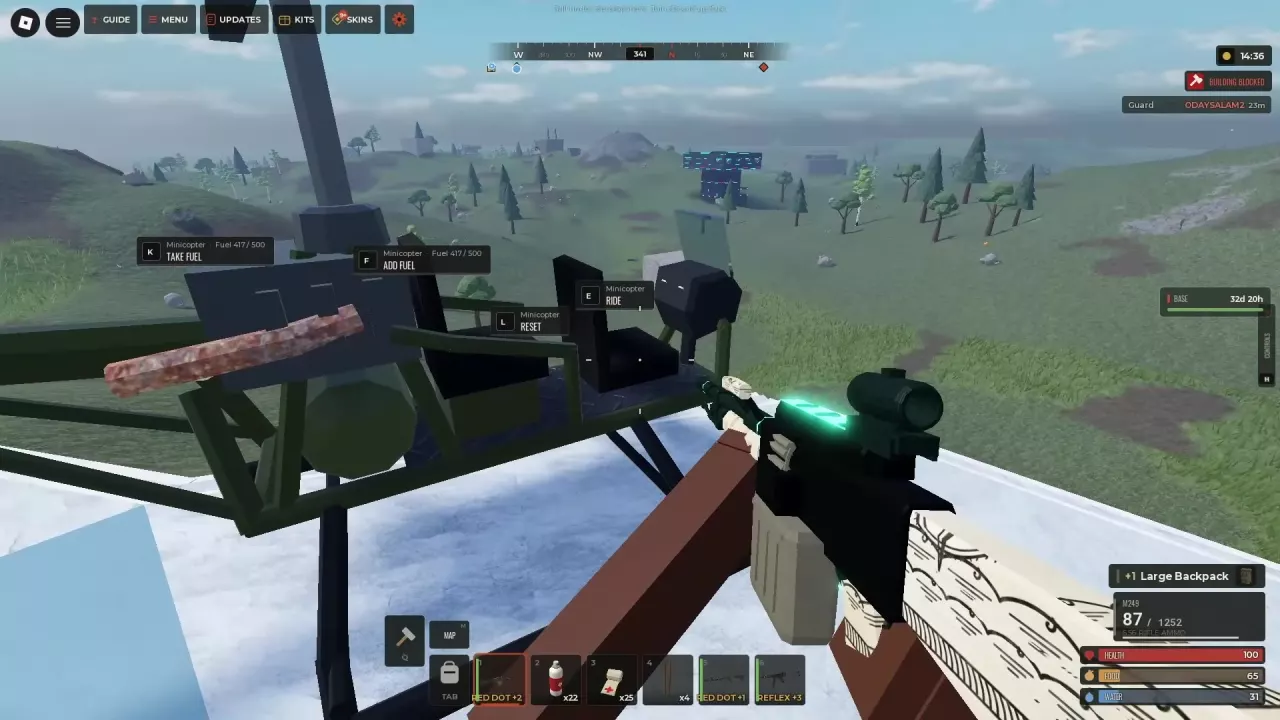
Take Off with Incoming Fire in Mind
A Minicopter can take off from a rooftop. Check the surrounding directions and the aircraft's condition as you depart: the pilot can still take damage from gunfire while flying.
For land and sea travel, see the ATV and Rowboat controls.